
Developer updates
GeoJSONic 1.6 is on the App Store
Last month I wrote that the journal can live on your Mac. Since then the app learned a wider screen, a trip you can put in order, and a way to drive around a place. That is version 1.6, and it is on the App Store.
It runs on iPhone, iPad, and iPhone Duo.
The notes and the map, side by side
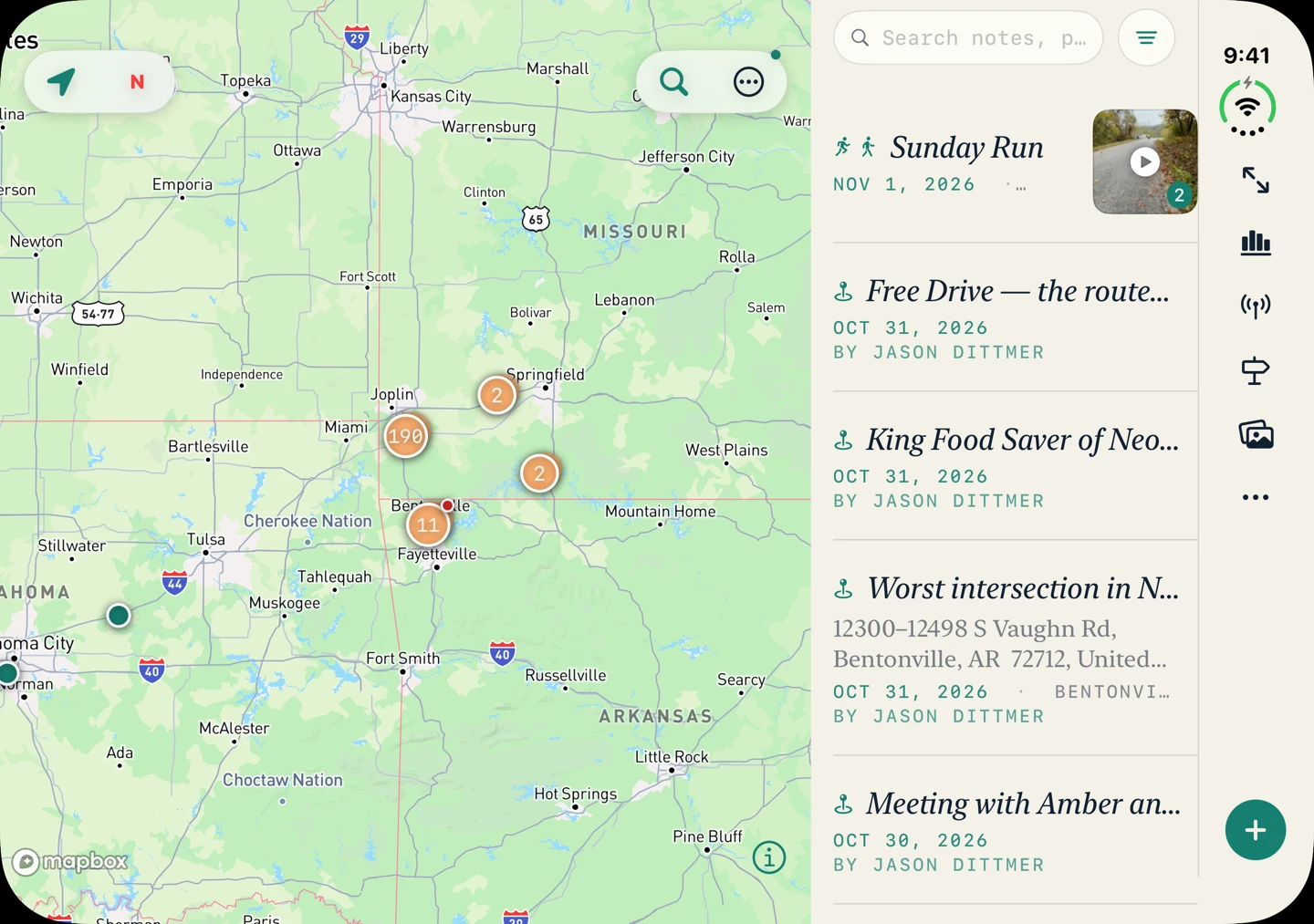
On a wide screen the notes and the map sit next to each other. That is an iPad. That is iPhone Duo when the inner screen is open. A regular iPhone, and the Duo cover, stay the phone layout.
Plan the trip, stop by stop
Add a place to a trip and the trip opens on that stop. Drag the stops until the order is the drive you want.
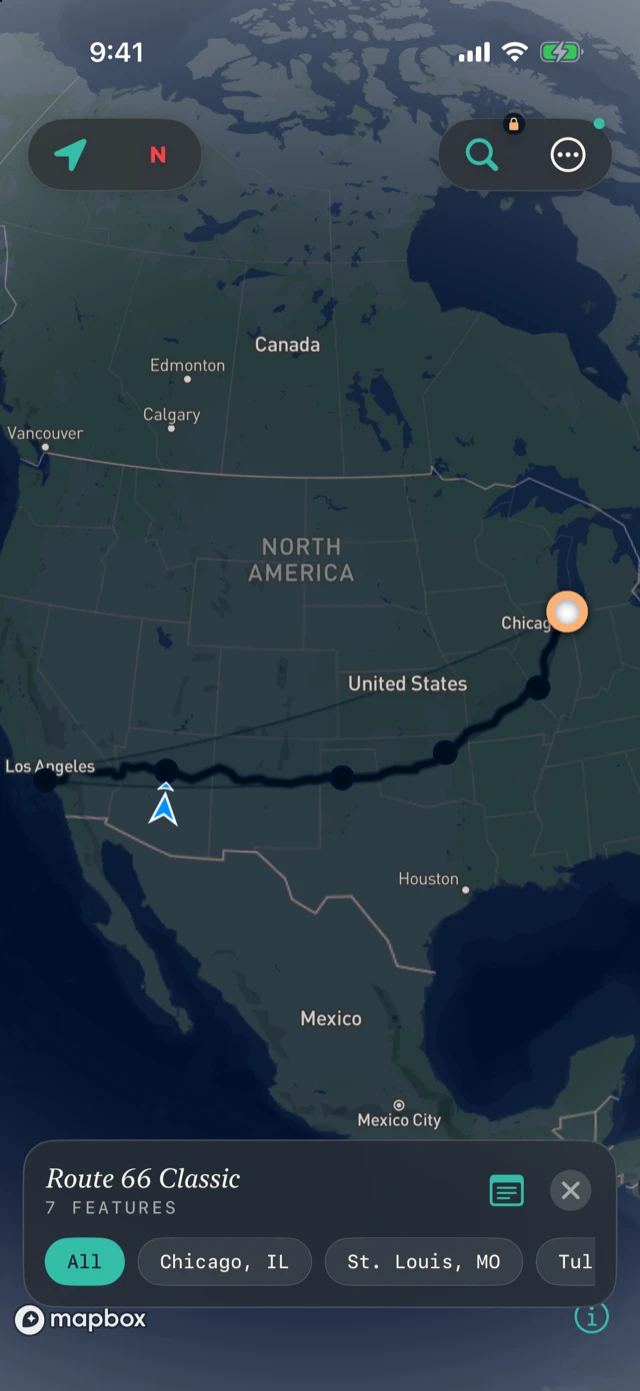
A trip from geojsonic.com still opens straight into the app.
Drive around a place
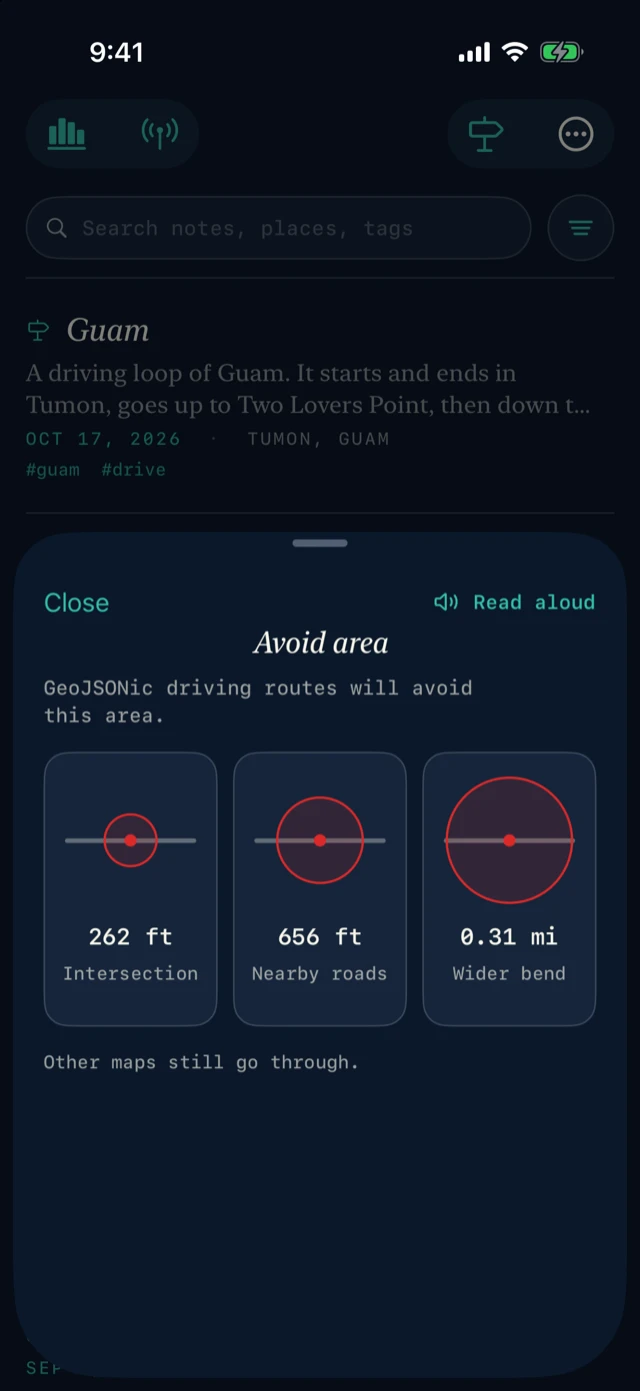
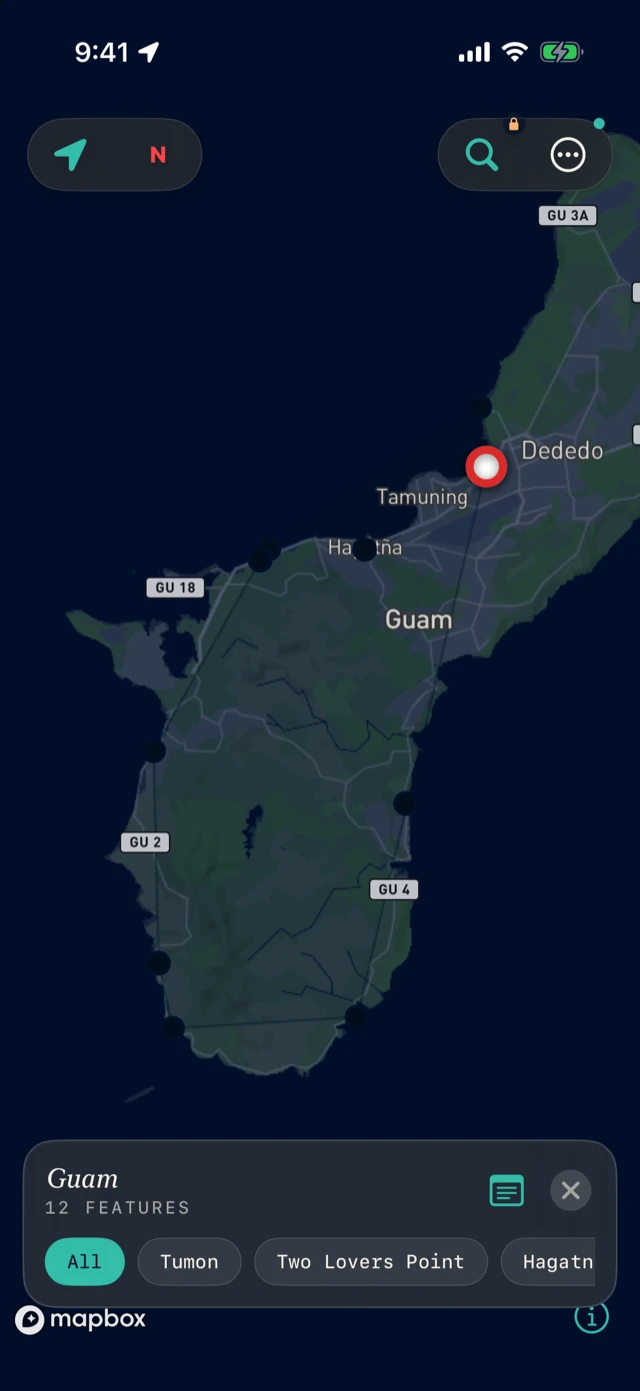
You can mark a place so a driving route goes around it. The sizes are an intersection, the nearby roads, or a wider bend. GeoJSONic driving routes avoid that circle. The app says the rest plainly: other maps still go through.
Talk to a phone nearby
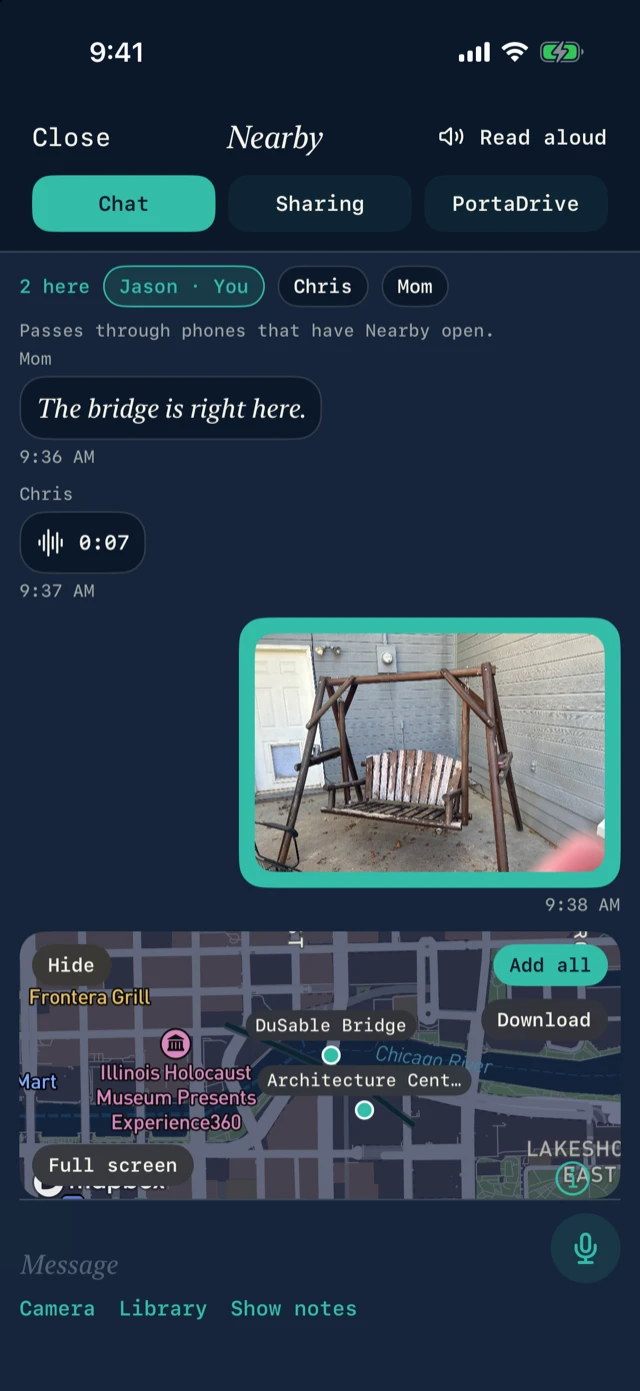
Open Nearby and you can talk with the phones that have it open too. A text, a photo, a short voice message, or a place from your notes. The line under the names is the rule: it passes through phones that have Nearby open. A locked phone, or a phone in another app, is out of the conversation. No account. The conversation stays on those phones.
The smaller pieces
Search sits just above the keyboard.
Finish a photo or a voice memo and it saves as a note. Cancel, and there is no note.
If you already paid, Restore Pro is in setup and in Settings.
On a Mac, the notes can live in your Pictures folder, inside a folder named GeoJSONic. That is the same folder PortaDrive uses. The iPhone syncs to it, and the phone keeps its own copy.
Still the journal
It is still offline field notes. The notes stay on the device as GeoJSON. No account and no ads. The free app is still the journal, the globe, and sharing a note. Pro is still $3.99 a month, first month free, or $39 a year, for offline maps, satellite, and turn-by-turn.
If you have been using it while I built this, thank you. If you have not tried it yet, download GeoJSONic on the App Store.
— Jason Dittmer Creator of GeoJSONic